HIBRID Trash Solutions
A doorstep trash-valet company was running crews and apartment communities on phone calls and paper. Six months later, porters prove every pickup with a photo, property managers see their own buildings, and residents know exactly what happened to their bag.
The short version
What changed for the business
The problem
HIBRID collects trash from residents' doors at apartment communities every night. Which units got serviced, which were skipped, and why, lived in porters' heads and text messages. Property managers called the office to find out.
What we built
An office dashboard, a dashboard for each property manager, a phone app for the porters, a phone app for residents, and a public website. All talking to each other.
What changed
Every pickup now has a time-stamped photo. Property managers check their own buildings instead of calling. Residents get a heads-up and can flag a miss with one tap. Keith Conway, HIBRID's VP, says sales and closing times improved dramatically within a month.
At a glance
The whole operation, on one system
From first meeting to launch (Nov 2025 – Apr 2026)
Two dashboards, two phone apps, one website
On iPhone and Android, for porters and for residents
One for HIBRID's office, one for property managers
Scope
Five pieces, one connected system
Built from scratch, not a template. Each piece was designed for the person using it, then connected so the office, the crews, and the residents all see the same truth.
Office dashboard
Property manager dashboard
Porter app (iPhone + Android)
Resident app (iPhone + Android)
Public website
Timeline
How the six months played out
Dashboards first, then the apps, then the website, with training and fine-tuning overlapping the final stretch.
Phase Detail
What each phase actually involved
Listening
Kick-off meeting and interviews with the people doing the work. We mapped how a night actually runs, agreed what to build first, and wrote down what success would look like.
Mock-ups you can click
Working mock-ups of the dashboards, both apps, and the website, reviewed with HIBRID's team before any real building started. Cheap to change, so we changed a lot.
Dashboards
Built the office and property-manager dashboards first, so the business had one reliable place for properties, porters, schedules, violations, and proof of service before the field apps arrived.
Phone apps
The porter app and the resident app, on iPhone and Android. Live pickup tracking, alerts, photo proof, and the raise-a-hand loop for missed pickups.
Website
Built last, on purpose, so it could show the real product instead of a pitch. What the service is, where to get the apps, and the sign-up form for new properties.
Training and tuning
Separate training for the office, property managers, and porters, with a built-in help guide inside the dashboard. As real use turned up small changes, we wrote each one down, agreed it with HIBRID, and shipped it without interrupting the nightly runs.
Dashboards
Inside the office and property-manager dashboards
Ten parts, one workspace, covering everything from the buildings to who changed what.
Properties
Porters
Schedules
Proof of service
Violations
Missed pickups
Bulk pickups
Holidays
Who did what
People and permissions
Mobile Apps
Two apps for two very different audiences
Both on iPhone and Android. The porter app is a work tool: fast, photo-required, built for a night shift. The resident app is about peace of mind: see what's happening, get a heads-up, and raise a hand if something was missed.
Porter app
iPhone & Android · for the crew
- Sign in with a phone numberA code by text. No passwords to forget on a night shift.
- Paperwork onceTax form, ID, a short training video, and the policy sign-off, all in the app before the first shift.
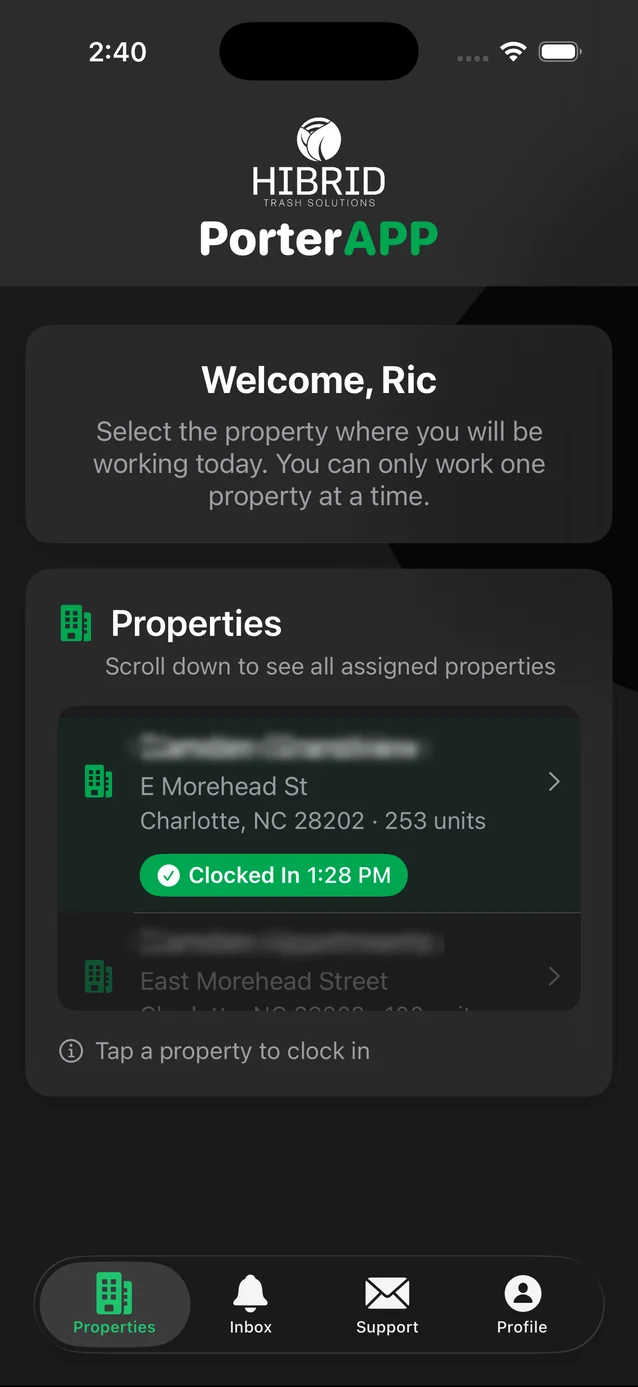
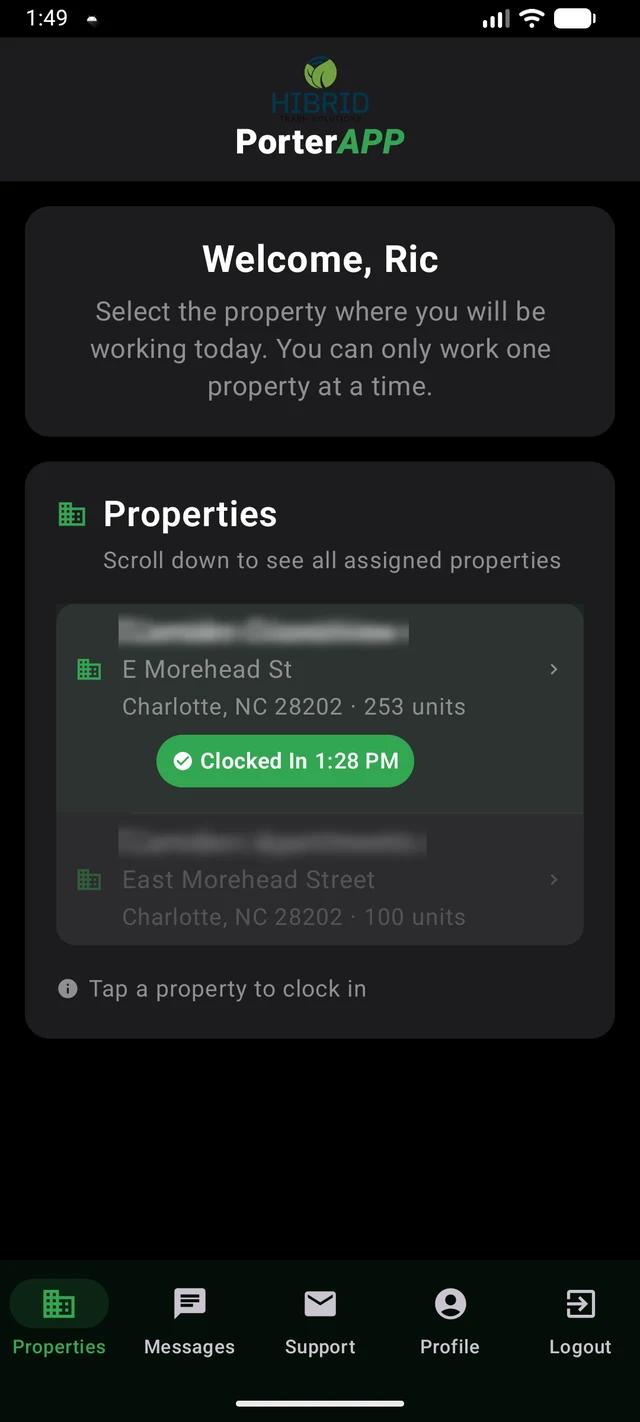
- Tonight's propertiesThe list of buildings to cover, in order, with how long each one has been in progress.
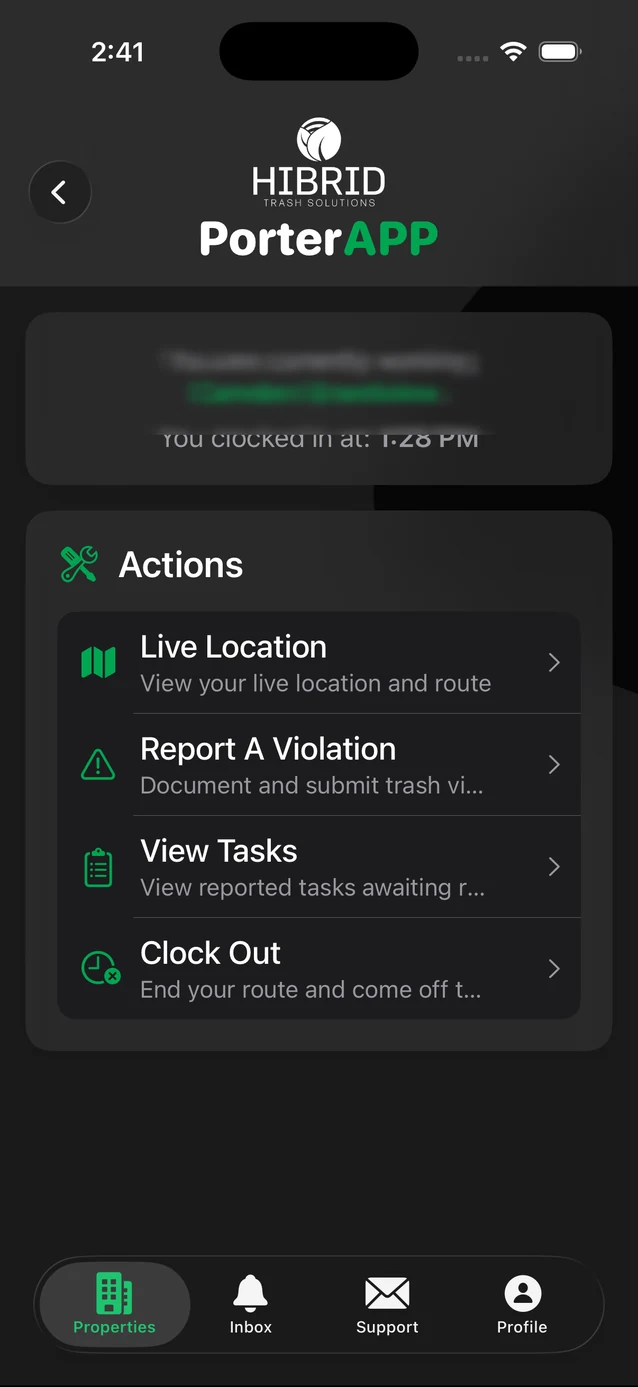
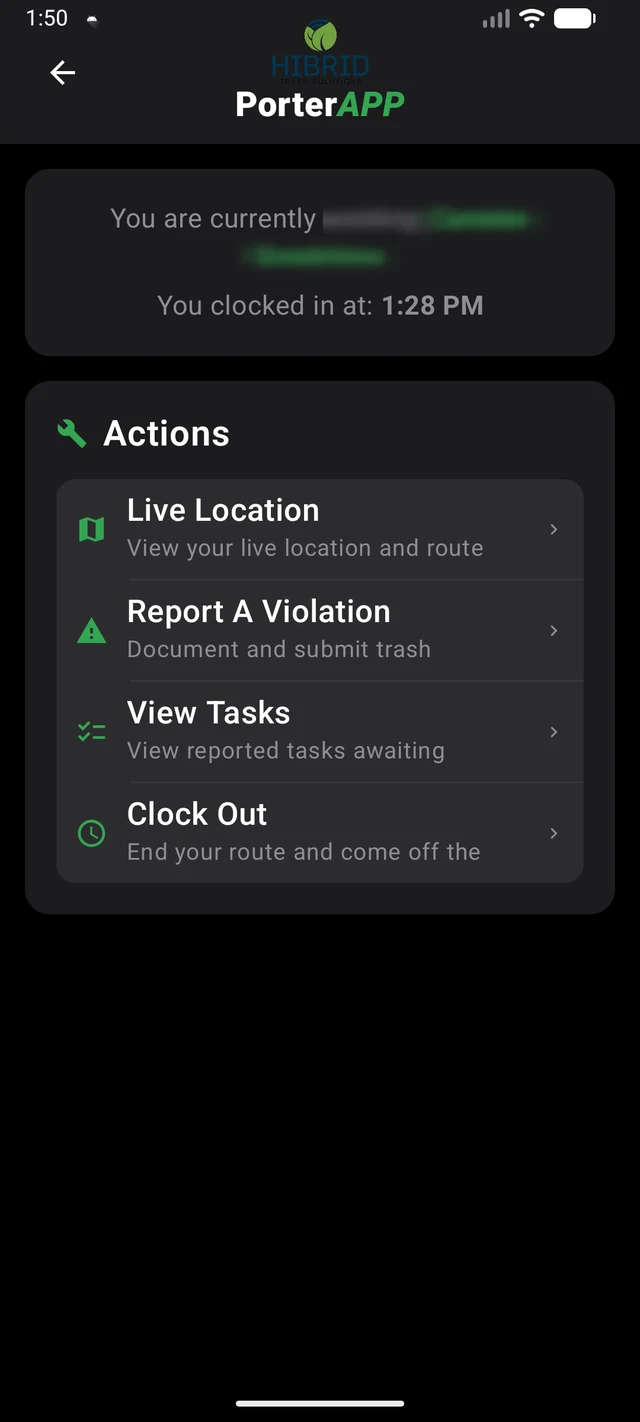
- One working screenWhere you are, when you clocked in, and one tap to report a violation, clear a task, or clock out.
- Report a violationPick the problem, take a photo, tap submit. It's in the office dashboard before you reach the next unit.
- Missed-pickup requestsResidents' requests show up by unit and can't be closed without a photo.
- Clock out with proofA photo of the compactor is required, and the app warns if a request is still open.
Resident app
iPhone & Android · for residents
- Set up in a minuteThe app finds your building by location, or you pick it from a list, and confirm your unit.
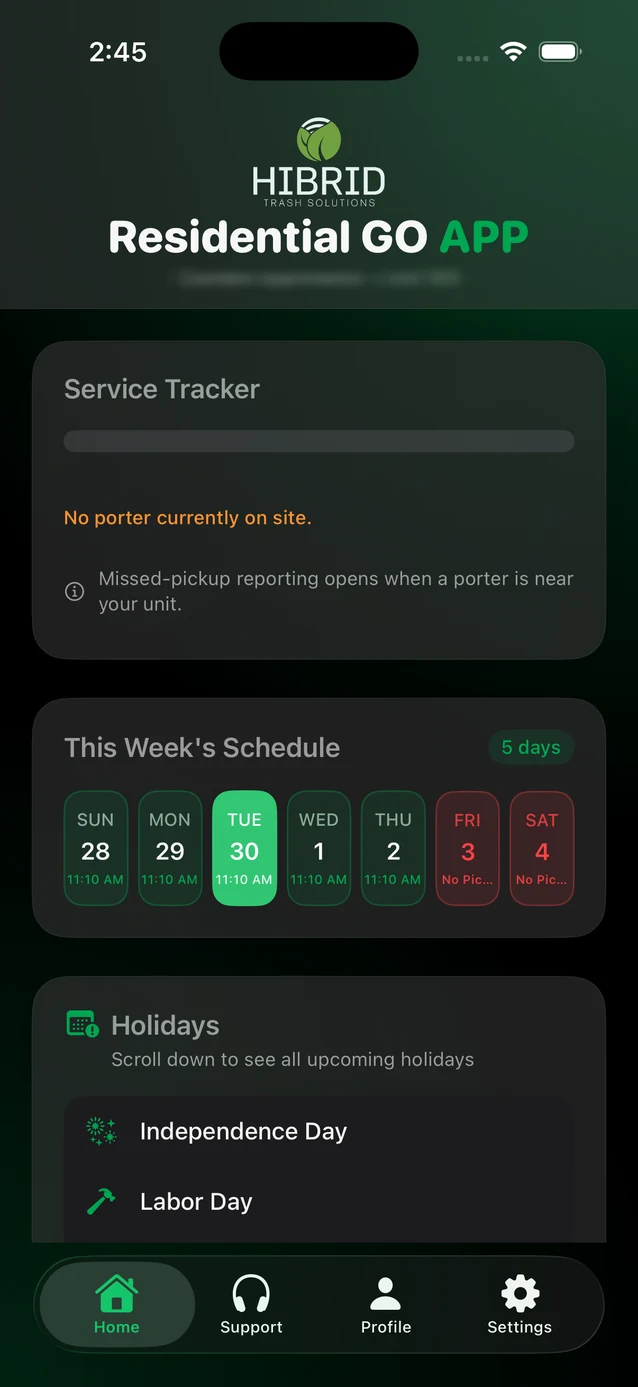
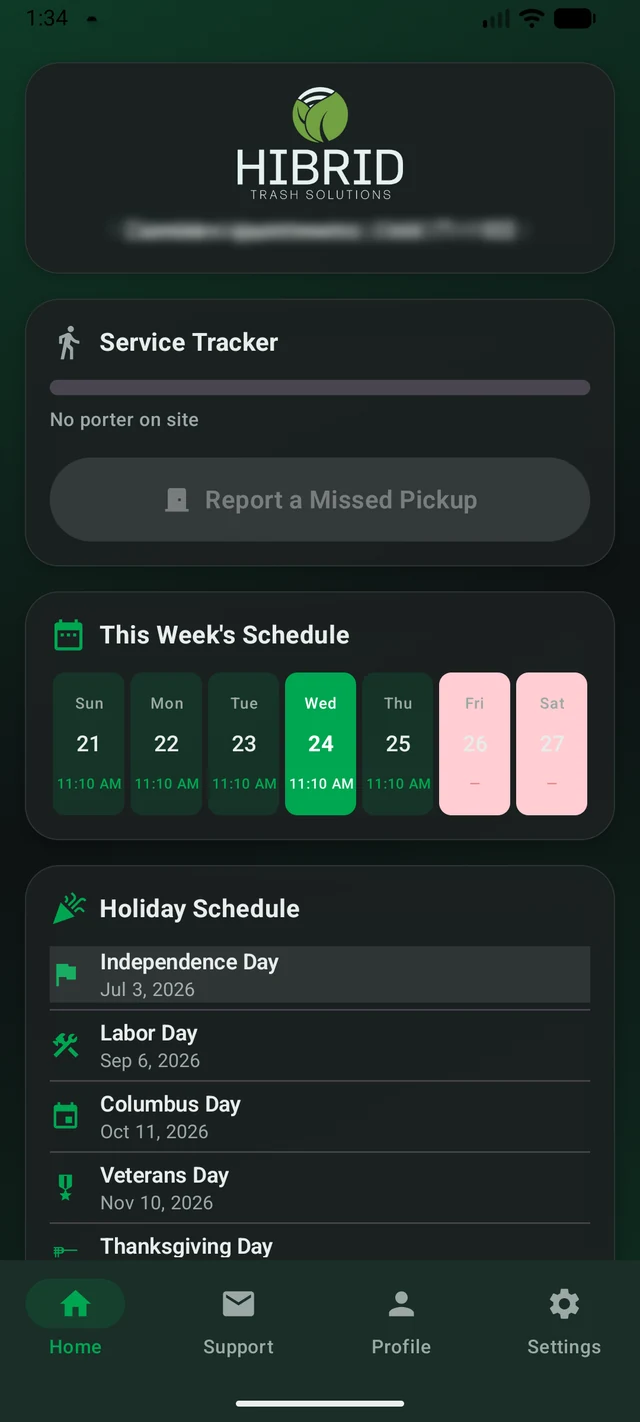
- This week at a glanceYour building and unit at the top, the next seven days of pickups, and any holiday changes.
- Watch tonight's pickupSee how far along the porter is and roughly when they'll be done.
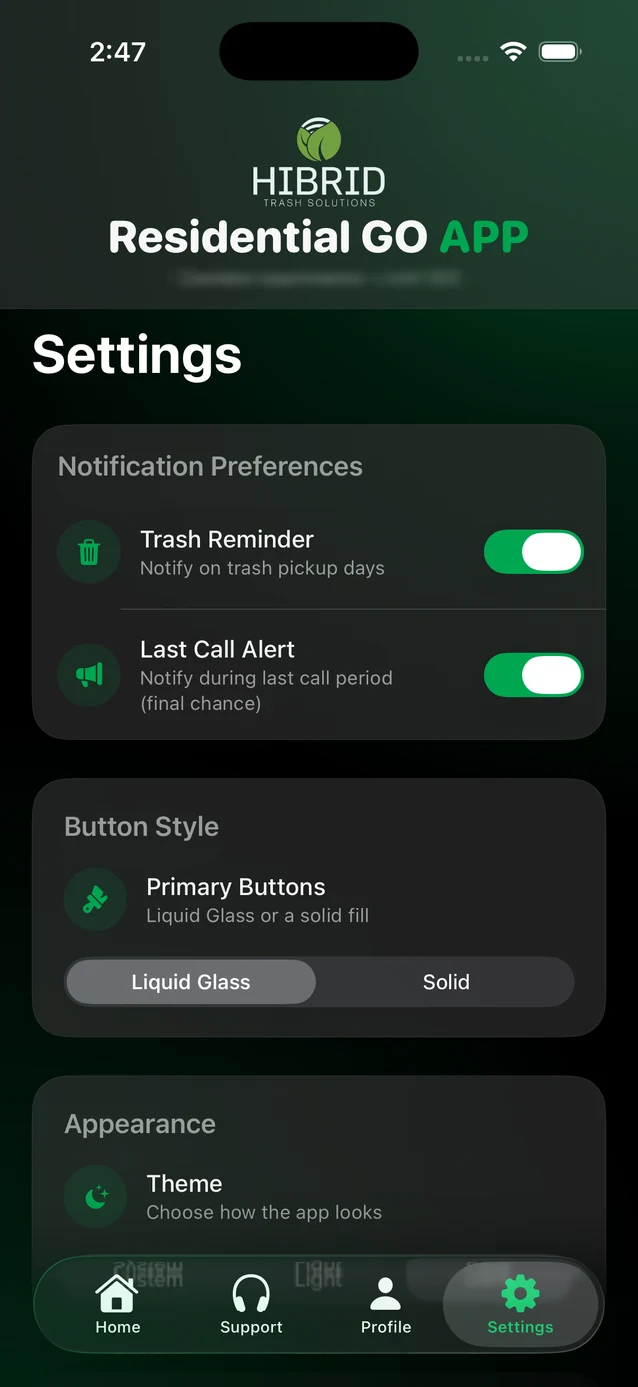
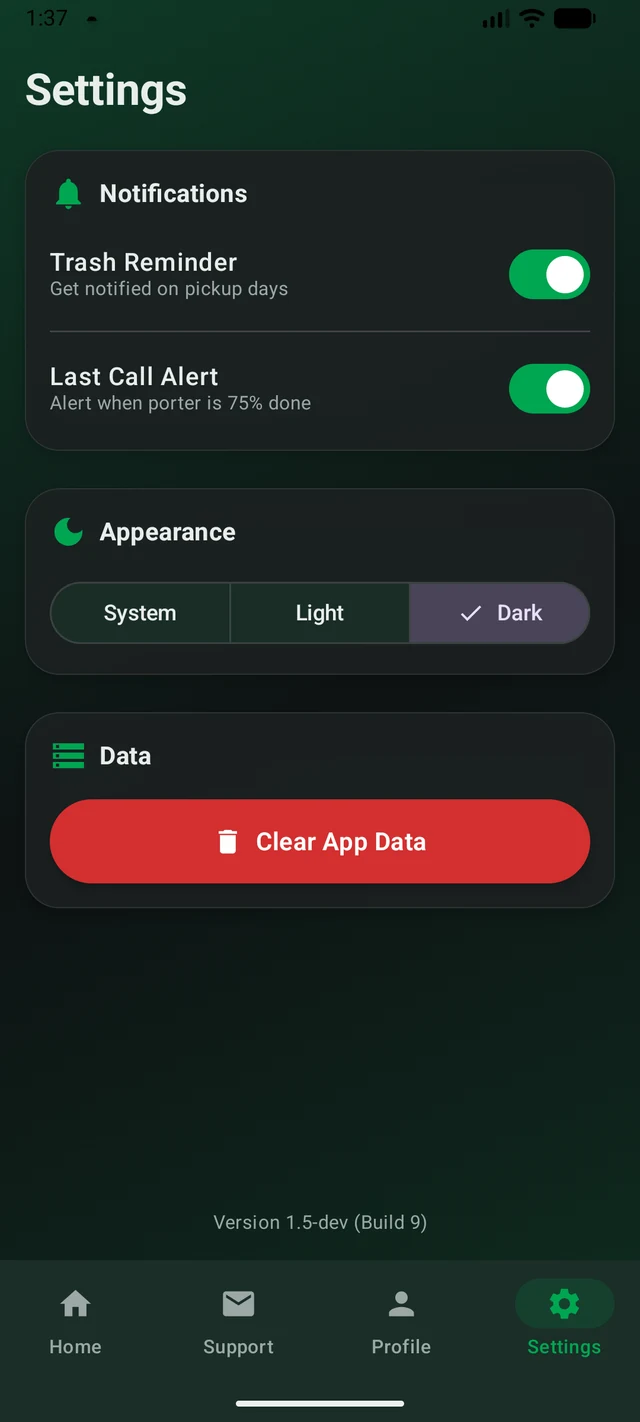
- Alerts that matterPorter on the way, last call to raise a hand, and request received. Turn each on or off.
- Raise a handMissed? One tap near the end of the run tells the porter to circle back before they finish.
- Ask for helpSend a support request with a note and a photo, right from the app.
- The rulesWhat can't go in the bag, weight limits, and set-out times, one tap away.
In the field
The resident app, in real life
HIBRID's own post showing the resident experience: doorstep trash valet, made visible.
In the app stores
See the apps in the wild
Real screens from the HIBRID Porter and GO Resident apps, both available on iPhone and Android.
Getting the team on board
New software only pays off if people use it
Building two dashboards, two apps, and a website is half the work. Getting the office, the property managers, and the porters to actually adopt them is the other half. We ran that in five deliberate steps.
Name the pain
Wrote down, with the crews and property managers, exactly which manual steps were wearing everyone out.
Agree the goal
Agreed with the operations team what a normal night should look like once the system was live.
Teach it
Trained the office, property managers, and porters on the parts each of them would actually use.
Do it together
Hands-on coaching during the March and April rollout, on real properties with real porters.
Keep it going
Every suggestion during rollout was written down, agreed, and shipped, so the new habits stuck.
Keeping it honest
Every change written down and agreed with you
One shared list
Tuning while people used it
One month after rolling out the apps that GDI created for us, we saw our sales and closing times improve dramatically, and they were always there for the feature changes quickly. Excellent team!
— Keith Conway · VP, HIBRID Trash Solutions · Launched April 30, 2026
See it in action
Explore the live HIBRID Trash Solutions site and download the apps.
Tech notesfor the technically curious
Most of our clients never ask. If you're the kind of person who does, here's what's under the hood.
- Dashboards
- React web apps for the office and for property managers, with per-property permissions.
- Back end
- A serverless API on AWS with a PostgreSQL database, Amazon Cognito for sign-in, and S3 for photo evidence.
- Phone apps
- Native iOS (SwiftUI) and Android (Kotlin) apps for porters and for residents, with push notifications.
- Delivery
- Separate test, demo, and production environments with automated build-and-deploy pipelines.
Have crews in the fieldand an office that can't see them?
That's the shape of this project, and it fits a lot of businesses. Tell us how yours works and we'll tell you what we'd build.